


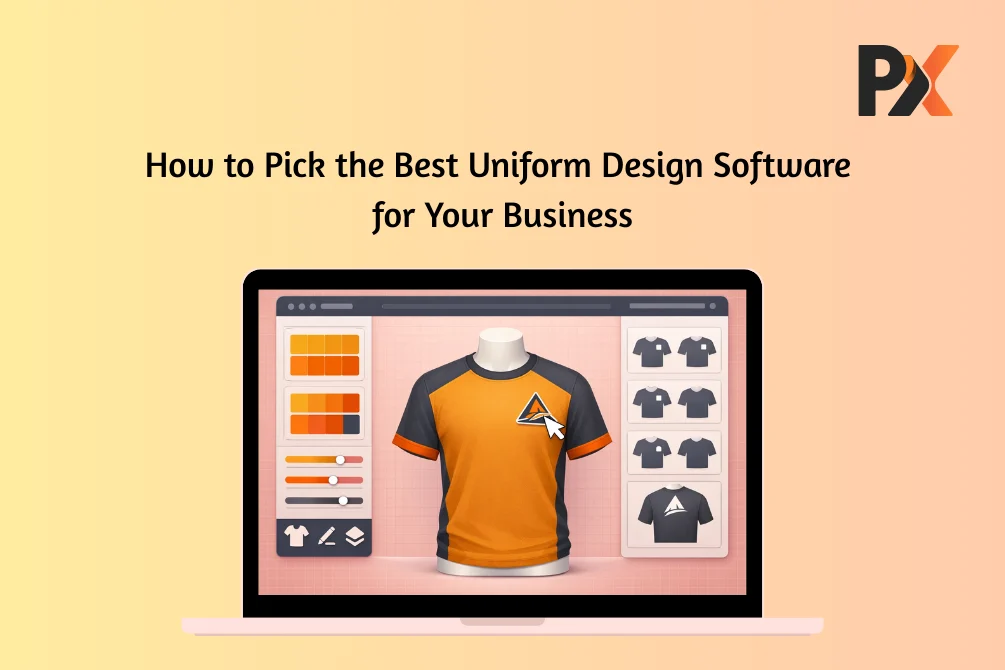
When people walk into a hotel lobby or a hospital, a first impression forms based on the uniform and not on how they communicate. And it is very common these days because what they wear is a direct representation of your brand, no matter what industry you belong to. Today, uniforms aren’t just clothes. They’re walking billboards. Trust signals.
Managing uniforms the old way with endless emails, waiting weeks for samples, and printing approval forms only burns time and money. That’s pushing organizations toward digital design tools. Visualize on screen. Customize in real time. Order without the circus.
But not every tool fits every business. A hospital buying scrubs has zero overlap with a sports team ordering jerseys. Pick wrong, and you’re overpaying for features you’ll never touch or scrambling because basics are missing.
Key Features to Look for in Uniform Design Software
Some capabilities should come standard regardless of what industry you come from, and these are some of them:
- 3D visualization sits at the top. Flat mockups don’t cut it. You need to spin garments around and see how logos wrap near the seams. Good previews catch problems before they become expensive.
- Size and color customization sounds obvious, right? Execution varies wildly. Some platforms offer a dozen presets. Others match exact Pantone codes.
- Fabric simulation gets overlooked until it is way too late. Sharp design on cotton might look different on polyester.
- Logo handling should be drag-and-drop simple. Upload, position, resize. Done.
- Templates save time but shouldn’t limit creativity. Starting points, not straitjackets.
- Bulk order management becomes essential with hundreds of uniforms across departments.
- Integrations matter. Your design tool needs to talk to eCommerce, ERP, and fulfillment systems.
Industry-Wise Needs: What Each Sector Should Look For
Now, coming to industry-wise features. These will give you an idea as to why you need a specific design tool that addresses the requirements unique to your industry.
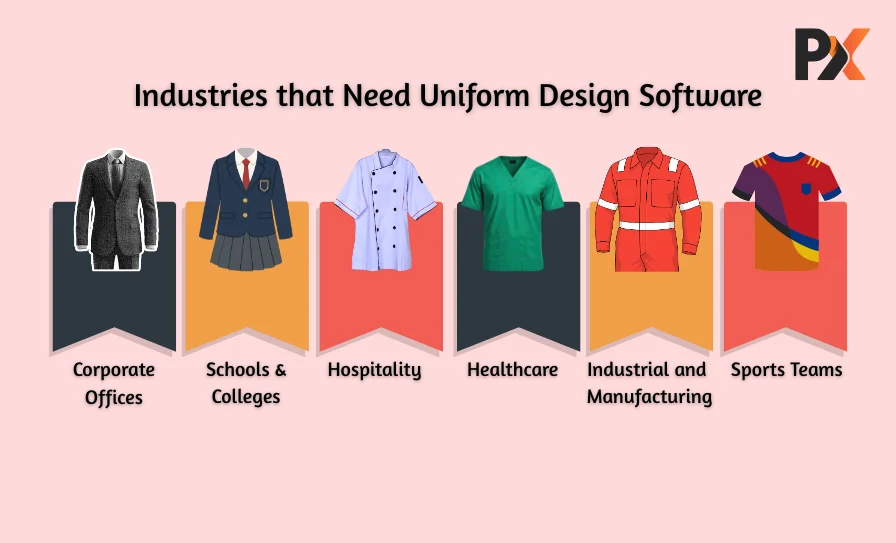
Corporate Offices
Brand consistency. That’s the game.
Your specific shade of blue needs to stay identical whether ordering 50 shirts for Austin or 500 for Chicago. Color drift looks sloppy. Fabric matters too. Corporate uniforms are worn eight hours daily. Professional appearance without cardboard comfort.
Schools and Colleges
Visual cohesion is what they seek!
Schools deal with chaos that corporate buyers never see. Summer uniforms. Winter uniforms. Sports kits. Formal attire. They all need to look different and still be visually cohesive. Standardization tools become lifesavers. Guardrails preventing deviations. Approval workflows for committees. Ten variations shouldn’t require ten projects.
Healthcare
Function over fashion. Always.
Scrubs face brutal conditions. High-temperature washing. Chemical exposure. Constant movement. Software needs to simulate medical-grade fabrics, not regular cotton. Compliance adds complexity. Color coding by department. A custom uniform designer for healthcare automatically handles these rules.
Hospitality
Multitasking is what they seek from their uniform.
Hotels are complicated. One property needs different looks for the front desk, housekeeping, kitchen, servers, and management. But all of them should maintain visual threads. Multi-department management saves time. One project, consistent brand elements, easy role-specific tweaks. Logo placement flexibility — top left of the shirt for the front desk, on their chef coat for kitchen staff.
Sports Teams
Where uniform needs to look good, even with dust on it.
Jerseys push design software hard. Patterns, numbering, player names, sponsor logos — all on one garment. Here 3D preview becomes critical. Teams see designs from every angle. Managing roster personalization through an online uniform design tool beats endless spreadsheet coordination.
Industrial and Manufacturing
Safety first. Everything else second.
High-visibility requirements aren’t suggestions. Often legally mandated. Reflective striping needs proper placement. The right industrial-grade uniform design software includes safety-compliant templates baked in. These are not just random may or may not haves; they are a must-have feature for the safety of the workers.
Comparing Popular Uniform Design Tools
If you are shopping for top uniform design software, here are some of the key things that should be your defining criteria based on what industry you are commissioned to design for.
Cloud versus desktop. Cloud wins on accessibility, as it allows access from anywhere and automatic updates. Desktop offers horsepower but create sharing headaches.
Pricing varies wildly. Per user. Per design. Per transaction. And in some cases, by size. Compare uniform designer tools based on actual usage, not advertised prices.
Integration depth separates business tools from playthings. API access matters as volumes climb. Make sure the uniform design software you choose supports multiple integrations so you don’t have to juggle between different systems.
Template quality beats quantity. Fifty relevant options outweigh a thousand generic ones. Before making a decision, check whether the design tool has good, ready-to-use templates tailored to your industry. This will help your users start from something rather than a blank canvas.
Support test before committing. How companies treat prospects reflects how they treat customers. So, see their testimonials first, request a demo, and ask how they will provide support services if you need them.
How to Evaluate the Right Tool for Your Business
Knowing features exist is step one. Figuring out how to choose a uniform design tool options fits your situation? That’s real work. Here are some questions you should ask yourself to determine whether the tool is the right fit for your business.
Scalability. Where will you be in three years? And will the tool scale with you?
Usability. Powerful features mean nothing if teams won’t touch them. So, how is the tool’s user interface?
Customization depth. Match to actual complexity. Does the tool actually offer the flexibility and customization scale as it promises or not?
Output quality. Print-ready files or red flag. This is the most important factor, because if your preview doesn’t match the actual product, your customers would be disappointed. Try the tool before saying yes.
Vendor support. How companies treat prospects usually reflects how they treat customers. Pay attention during the sales process, and if you notice any discrepancies, question before saying yes.
Learning how to select uniform software means matching capabilities with workflows. Not feature lists. Daily use. Also, remember that you are investing in the tool to streamline your workflow, and if it doesn’t aid your business with that, it is not the right tool.
Benefits of Using a Web-to-Print Uniform Design Tool
Online uniform design delivers beyond convenience.
- Faster approvals. Stakeholders review 3D previews from laptops. No shipping samples across offices.
- Lower costs. Teams handle customization through a custom uniform designer instead of paying agencies.
- Fewer errors. System rules catch mistakes before production.
- End-to-end automation. Design flows into approvals, into orders, and into fulfillment. Manual handoffs disappear.
Why PrintXpand’s Uniform Design Software Is the Ideal Choice
PrintXpand built its platform for businesses needing power without complexity.
3D customization shows designs from every angle. Unlimited templates cover any garment type with deep customization. Logo tools keep branding consistent. Upload once, apply everywhere. Integrations come standard. eCommerce platforms, ERP systems, fulfillment workflows — no custom development.
Mobile-friendly approvals happen anywhere. Dynamic pricing handles multi-department orders and volume discounts. The system adapts to how your business runs.
Conclusion
Picking uniform design software isn’t about most features. It’s about the right fit. Hospitals need different things from hotels. Schools face challenges sports teams never encounter. This is why it is important to match the tool to reality.
Ready to see how PrintXpand handles your industry’s challenges?