Printing Business Guide
What Is Print Shop Management Software and How It Transforms Print Businesses




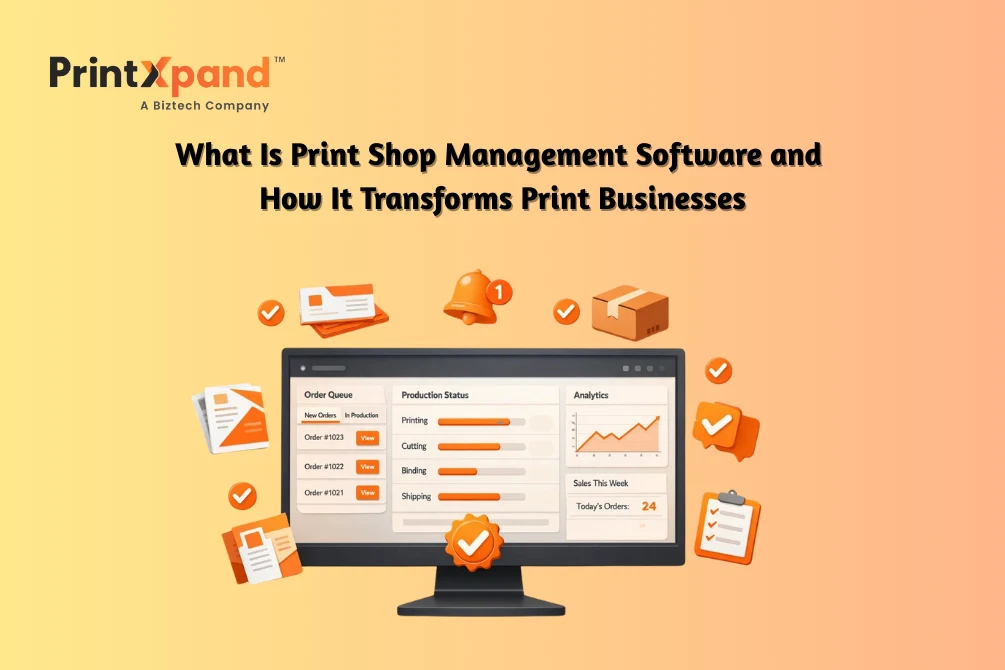
When the print shop workflow still lives in 2019, managing 2026 business requirements becomes a challenge. Orders are buried in email threads, information lives in a spreadsheet, and sticky notes act as a bridge to cover up cracks that half of the team doesn’t even know exist.
This is just how print shops have always worked. Hustle, memory, and a lot of “we’ll figure it out” energy. Worked fine for years, right? But now, customers want instant quotes. They want to track their orders like Amazon packages. The old way of running things can’t keep up, and deep down, you already know that.
This is where Print shop management software becomes the ideal solution. It is for print people who got tired of generic business tools that don’t understand production floors, job tickets, or why artwork approval is such a nightmare. These platforms are built around actual print workflows.
This blog breaks down what these systems actually do, which features you should care about, and what to look for when picking one – very practical stuff.
But, What Is Print Shop Management Software?
Picture every disconnected piece of your current operation. Orders are coming in one way. Scheduling is happening somewhere else. Inventory? Nobody has clarity on that. Customer communication is scattered across email, texts, and maybe some DMs. Invoicing that requires digging through multiple places to get the numbers right.
Print shop management software brings down all of that into one system. Orders, production queues, stock levels, customer approvals, invoices, shipping info—all living in one spot where people can actually find what they need.
That moment when a customer calls asking where their job is, and you have to put them on hold while you track someone down? Doesn’t happen anymore. You pull up the order, see exactly where it sits in production, and give them a real answer in seconds.
Or that disaster when artwork revisions never made it from the inbox to the production floor? The system tracks versions, timestamps approvals, and keeps everything visible. Mistakes that used to cost you money and credibility happen less often.
Your people spend less time asking each other questions, searching, or guessing. More time doing actual work. The chaos calms down because information finally flows the way it should.
Features and Capabilities of Print Management Software
What does print management software actually include, though? Some features look great in demos but won’t change your Tuesday. Others seem boring but end up being the ones you can’t live without.
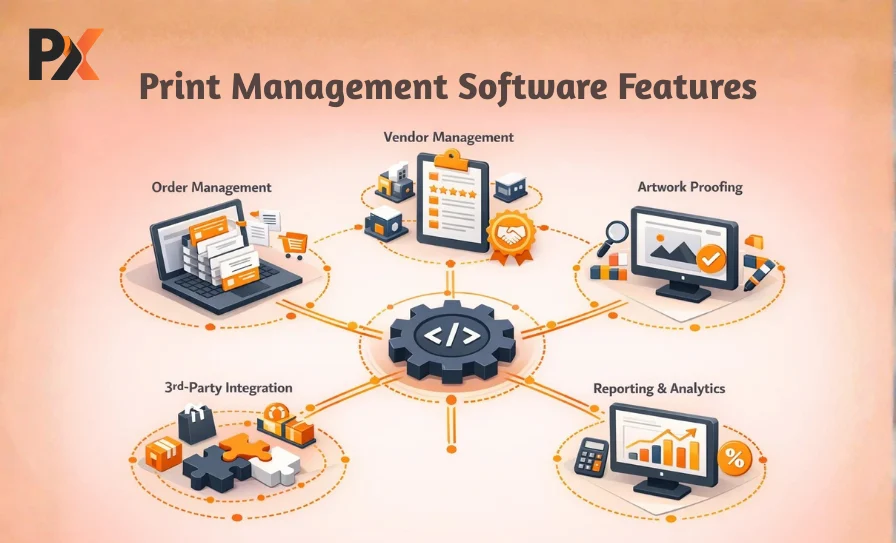
Automated Order Management
Typing orders manually is slow and mistake-prone. Someone reads an email, enters details, makes a job ticket, and passes it along. Every handoff is a chance for typos, wrong specs, and missed instructions. This often leads to a greater chance of you incurring reprint costs because someone made an error and nobody knows who.
Automated order management pulls job details straight from the website or customer portal into production queues. No retyping. No interpretation errors. Specifications, quantities, and due dates—captured exactly as submitted.
And here’s where print shop automation really pays off. Orders that took fifteen minutes to process? Now, maybe two minutes to verify and approve. Multiply that across everything coming in each week. That’s real time back.
Vendor Management
Unless you do absolutely everything in-house (and who does anymore?), you’re juggling outside vendors. Finishing work, specialty printing, overflow jobs. Tracking what’s where and when it’s coming back gets complicated quick.
Good software follows outsourced jobs from assignment to delivery. Vendor pricing comparisons, reliability history, communication logs—all in one place. Customer asks about something being produced externally? You’ve got the answer without making phone calls and promising to call back.
This not only streamlines things for you, your team, and clients, but also adds a badge of good customer experience to your inventory. This plays a crucial role in retaining existing customers and attracting new ones.
Artwork Proofing
Approval processes kill schedules. Emails flying back and forth. Versions multiplying. The wrong file gets approved. Job prints with errors nobody caught. You’ve lived this headache.
Built-in proofing gives customers one place to review designs, mark up changes, and sign off. Timestamps record exactly when approval occurred and which version was used. Arguments about who approved what and when? Done. Gone. Documented.
Another thing that often goes unnoticed is that it makes the customer feel they are part of the process, not just an outsider watching from the sidelines.
Reporting and Analytics
Running your shop on gut feeling works until the day it really doesn’t. Which jobs actually make money once you count everything? Where do slowdowns keep happening? Which customers are worth the hassle and which ones drain you dry?
Reporting in print management software answers this stuff without making you build monster spreadsheets. Production numbers, sales trends, who’s performing, and financial snapshots—generated automatically from data already in the system.
This is where you uncover the actual reality and not just what was thought to be a good idea. That product line you assumed was profitable? Might actually be losing money once real costs get calculated. But knowing and improving is better than just assuming.
Third-Party Integrations
You already use certain tools. Accounting software. Design programs. Your eCommerce platform. Shipping carriers. Nobody wants to rip everything out and start over.
Integration lets the management system connect with what you’ve got. Orders from your website flow in automatically. Finished jobs sync to accounting. Shipping labels are generated right from order records. No double-entry. No copy-paste errors. Everything stays consistent.
Not to mention, this significantly reduces the operational burden on your resources, as they don’t have to continually spend time on data entry.
How Print Shop Management Software Improves Operations
Features are nice on paper. But what actually changes day to day? What does your shop look like six months after implementing the print management software?
Boosts Productivity
When people stop hunting for information and start working, you feel it immediately. Production focuses on producing. Admin processes orders without constant interruptions. You stop playing referee and firefighter every five minutes.
Print shop automation handles repetitive tasks that used to eat hours. Status updates happen automatically. Notifications reach the right people without anyone having to remember to tell them. Work moves without manual pushing at every step.
Improves Customer Experience
Customers expect Amazon-level transparency now. They want to check the order status without calling. They want accurate delivery dates. Self-service portals let them track jobs, review proofs, see their history—all without tying up your phone lines.
Turnaround gets more reliable, too. When the internal process is streamlined, it shows up externally. Customers notice when you consistently hit deadlines. They notice even more when competitors can’t.
Reduces Costs
Efficiency hits your bottom line directly. Fewer errors, fewer reprints you eat. Better scheduling, less overtime. Accurate inventory, less cash tied up in materials sitting around. Each saving seems small, maybe. They compound, though. Over months and years, real money.
This improves revenue in the long run, both by reducing reprints and errors and by improving the business’s standing. When customers actually like your work, they show that through referrals and new orders.
Scales with Business Growth
Lots of shops hit a wall where more work would break everything. Growth sounds great until your systems can’t handle it. Print shop management software raises that ceiling. What handles fifty orders weekly can handle five hundred without falling apart. Capacity grows without matching chaos.
This scalability gives you the room to expand your business without worrying about investing more in infrastructure or changing the whole system again.
Key Considerations When Choosing Software
Not every platform fits every shop. Spending time evaluating options beats buying something that frustrates everyone for years.
Scalability
Where do you see things in three years? Five? Pick software that fits that vision. Switching platforms later is expensive and disruptive—way more than anyone expects going in. Better to choose something with room to grow from the start. Think beyond current volumes. New locations? Different services? Expansion plans?
Ease of Setup and Training
Powerful features mean nothing if your team won’t use them. Implementation complexity varies widely across options. Some need months of setup and customization. Others get you running in weeks. Training matters too—your people have different comfort levels with technology. Steep learning curves delay the payoff.
Integration with Existing Tools
Before shopping, list what you currently use. What has to connect? What absolutely can’t be replaced? Make sure anything you consider works with your accounting, your eCommerce, and your other critical systems. Bad integrations or manual workarounds defeat the whole purpose.
Quality of Support and Documentation
Problems will come up. During implementation, after implementation, random Tuesdays six months later. How fast does the vendor respond? Phone support or just email tickets? Can your team solve common issues from documentation, or does everything require a support request?
This stuff matters more than most buyers think upfront. Cheap software gets expensive when you’re waiting three days for help during a rush.
Why PrintXpand Is the Best Print Shop Management Solution
PrintXpand is built specifically for print businesses. Not adapted from something else. Not generic software with print terminology slapped on. Actually designed around how print production works.
That difference shows up everywhere. Job tickets function as you’d expect. Artwork approvals work the way they should. Production scheduling makes sense. Vendor coordination doesn’t require workarounds. You’re not forcing your operation into a system that doesn’t understand it.
The dashboard shows what matters without digging. Orders waiting, production status, deadlines approaching, potential problems. Notifications keep your team looped in automatically—no more “nobody told me” excuses floating around.
Time savings stack up fast. People drowning in admin work suddenly have capacity for real work. Errors drop because manual entry drops. Customers notice that things run more smoothly, that you’re more responsive, and that jobs arrive when promised.
Shops running comprehensive print shop management software like PrintXpand keep saying the same things. Operations calmed down. Margins improved. Growth stopped being scary. Investment paid back within months just from efficiency—not even counting what better capacity made possible.
Conclusion
Efficient print shops make money. The ones stuck with disconnected systems, manual processes, and constant firefighting? They struggle. Pretty simple, really.
Print shop management software exists to fix this. Centralized operations. Automated busywork. Actual visibility into what’s happening. Whether you’re fighting order accuracy, production scheduling, customer communication, or just trying to keep track of everything without losing your sanity, the right platform can change everything.
PrintXpand was built for exactly this. Purpose-made for print. Designed to grow with you.
If you are also looking for print management software that opens new growth opportunities and capabilities for your print business without breaking your existing infrastructure. PrintXpand is your answer. See how it seamlessly fits into your business model. Connect with our team today!