
 Web-to-Print MIS/ERP


How Print Proofing Software Works
PrintXpand’s print proofing software connects order data with proofing rules, enabling printers to validate specifications, capture confirmations, and move approved jobs into production without delays or manual follow-ups.
 1
1
Define Proofing Rules
Validate print specifications, quantities, finishes, and production constraints before jobs move forward
 2
2
Trigger on Orders
Auto-trigger workflow based on order type, value, or product rules using proofing software for printers
 3
3
Send for Approval
Provide print proofs to customers and internal teams for finalization before starting production
 4
4
Communications & Approvals
Centralize communication and confirmations so approvals are captured clearly and linked to each job
Why Use Proofing Software for Printers

Reduced Errors & Reprints
Print proofing software ensures every print job is validated before it lands in production, thus reducing costly mistakes, reprints, and last-minute corrections

Faster Time-to-Production
Automated proofing workflows eliminate manual follow-ups, ensuring only approved jobs move into production without delay. This accelerates the production process

Reduced Churning
Well-documented process reduces disputes, print revisions, and constant back-and-forth. This streamlines the design process while maintaining clear proofing steps
Production-Ready Print Proofing Software for Modern Print Operations
Built for real print workflows, PrintXpand’s proofing software for printers helps standardize validations, control revisions, and ensure production accuracy without slowing down order processing
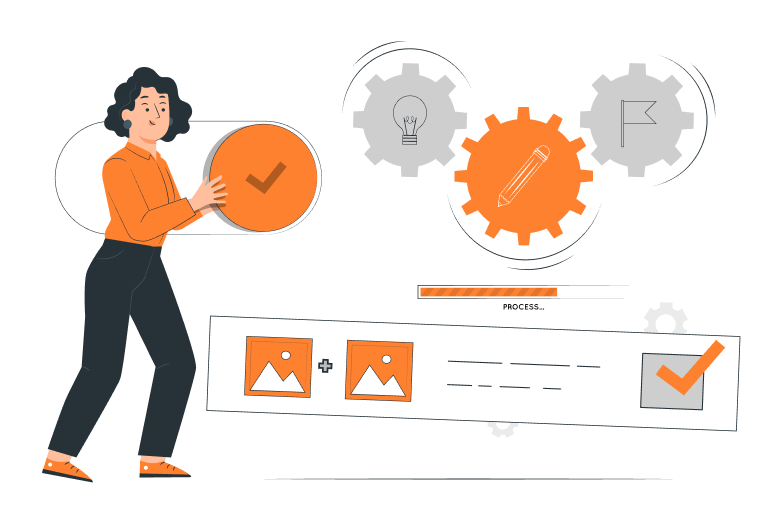
Automated Workflows
Automate proofing steps based on predefined order rules so validation, confirmation, and approvals occur consistently across jobs without manual intervention or operational delays.
Settings & Limits
Enable or disable the print proofing process based on order value, product type, or defined risk levels to maintain the right balance between production speed and output accuracy.
Revision Cycle Controls
Control and regulate revision cycles while clearly tracking all the change requirements to reduce excessive back-and-forth and keep print jobs moving smoothly into production.
Proofing Types
Apply proofing method and extent at an item level or order level based on production requirements, job complexity, or internal validation policies across print workflows.
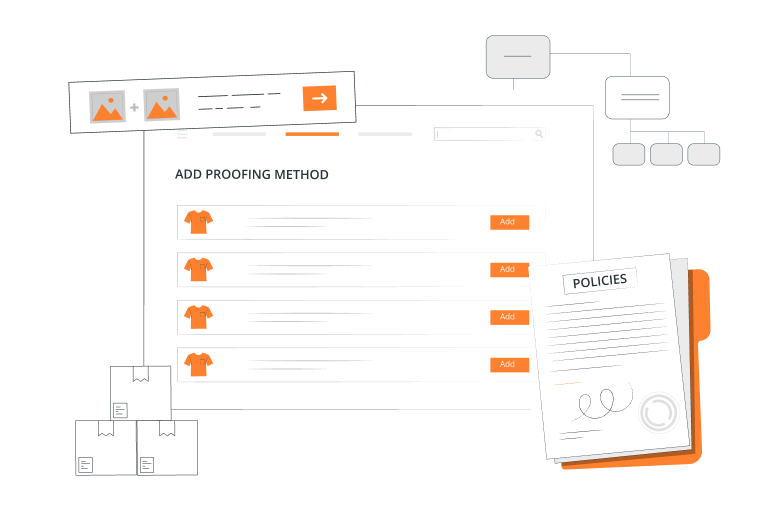
Proofing Modes
Support multiple proofing modes including virtual proofs, physical samples, site visits, or video confirmations, depending on production conditions and customer requirements.
Communication History
Maintain a comprehensive, time-stamped log of all proof-related discussions, confirmations, and changes, for complete transparency and traceability for every print order.
Customer Feedback Portal
Allow customers to review proofs, submit feedback, and confirm approvals through a secure portal or email-based workflows tied directly to each order for easy coordination.

Bring Accuracy and Control to Your Print Proofing
See how print proofing software helps reduce production risks, control revisions, and move approved jobs to press faster.
What Our Clients Are Saying
Product: Cremation Products | Customer: B2C
The BYI tool provided the best balance of cost and capability. The team also offered much more rapid deployment. BYI adapted an existing design tool used in printing businesses to meet the specific technical requirements of our engraving process, and provided deployment and ongoing support. We experience very infrequent issues that are quickly resolved by BYI team. Using the system has resulted in substantial sales growth with several key customer groups. Their communications are generally timely and clear, and misunderstandings are rare.
Paul Seyler
Dir. Global Product & Mktg, Matthews Environmental Solutions

Product: Merchandise | Customer: B2B/B2C
Print On Click, a leading provider of customized printing solutions, offers a diverse range of personalized products, including visiting cards, banners, standees, mobile covers, canvases, mugs, t-shirts, and neon signs. Their easy-to-use platform makes it simple and fun for customers to customize their desired products. With a commitment to quality and customer satisfaction, Print On Click ensures fast delivery and exceptional service, making personalized printing accessible and convenient.
Dhananjay Padhiar
Managing Director, Print on click

Product: Apparel | Customer: B2C
ForYou, which specializes in selling personalized goods, including t-shirts, hoodies, caps, and mugs, is quickly becoming one of Dubai’s top clothing retailers. Customers can customize their apparel and merchandise with the company’s exclusive platform to fit their preferences. ForYou prioritizes personalization and provides a wide array of configurable options to accommodate various tastes and styles among its customers.
Dea’a Zararey
Owner, ForYou

Product: Merchandise | Customer: B2C
MGS is a leading sports and sports fashion group based out of Israel. It excels in importing, marketing, and distributing renowned international sports and fashion brands through a vast network of around 130 premier sports stores, including JD, Mega Sport, and more.
Lidor Salem
Project Manager, MGS Sport Trading

Trusted by 300+ High-End Companies Globally








Blogs
Find out what is happening in web-to-print and print-on-demand here. Latest news, updates, and more.
FAQs
Find answers to your questions here, and if it isn’t listed, get in touch with us. Our team is here to assist you!
What is print proofing software?
It is a digital tool that helps printers validate job specifications and capture confirmations before production to reduce errors and reprints.
Is this proofing software suitable for commercial printers?
Yes. It is built specifically for production-focused print environments to streamline print proofing and production.
Can proofing rules be automated?
Yes. Proofing rules can be triggered automatically based on predefined order value.
Does the software track customer confirmations?
Absolutely. All confirmations, feedback, and proofing history are logged and linked to each order.
How does this reduce production delays?
By standardizing proofing steps and capturing clear approvals, jobs move to production without manual follow-ups or confusion.