




Print shops are expanding their capabilities to deliver exceptional services, but when it comes to managing those services, they are still stuck in the era of spiral notebooks and phone calls. This works, until it doesn’t.
One error in noting down the requirement and blue becomes green. Or one minor error in misreading the requirement, and the whole print job needs to be done again because the phone number was wrong.
This is the root cause of all the roadblocks, like delays or reduced customer retention, why? Errors pile up in the work without businesses noticing. This extends the production-to-delivery timeline, which, in the current technology-intensive phase, is destructive for the business.
So what is the solution to this? Process modernization, whether print shops like it or not. And at the heart of that modernization sits the web-to-print flow—basically, a way to connect what happens on your website to what happens on your production floor without sticky notes and shouted questions in between.
What Exactly Is a Web-to-Print Workflow?
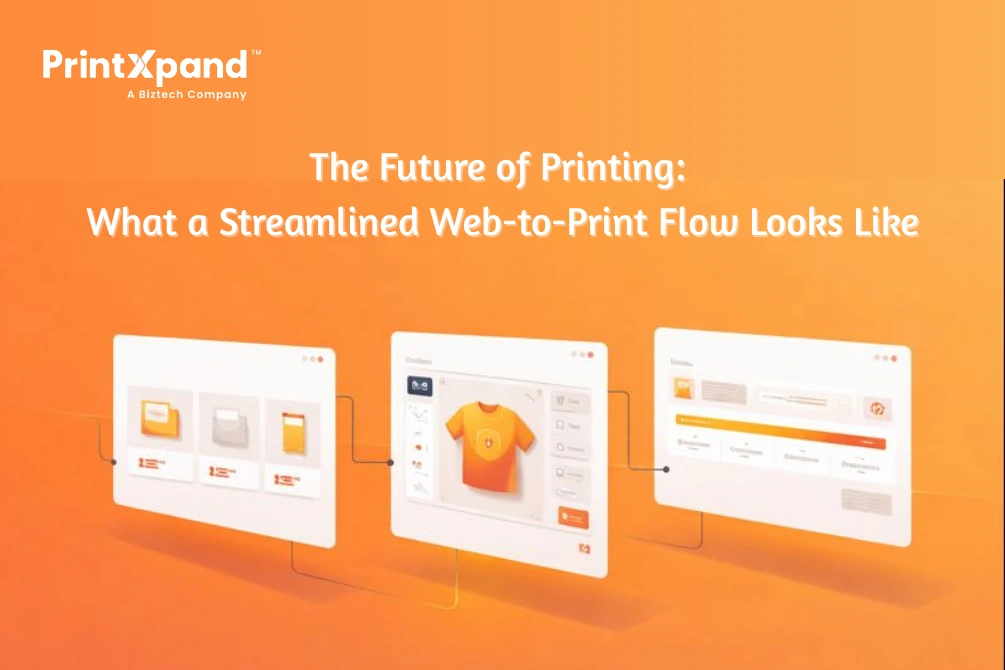
A web-to-print flow is just your print operation running digitally, end-to-end. The customer picks a product online. Customizes it. Submits artwork. Gets an instant proof. Approves it. Job lands in your production queue with every spec already attached. Ships out. Done.
No phone tag. No “which version did they approve again?” No artwork sitting in someone’s inbox for three days because they were on vacation.
Here’s what makes it actually useful: the system catches problems before they become your problems. Customer uploads a 72 DPI image for a banner? Rejected immediately with a clear explanation. Wrong color mode? Same thing.
System fixes these issues itself, rather than your prepress person discovering them on Tuesday afternoon when the job was supposed to ship Monday. Getting your head around this web-to-print flow concept helps you spot exactly where your current process bleeds time and money.
Web-to-Print vs. Traditional Print Management: Key Differences
Traditional workflows involve a lot of people talking. Customer calls. Someone takes notes. Type them into… an Excel sheet? Or just another email. Quote goes out. The customer wants changes. More emails. Artwork finally arrives—wrong file type, naturally. Prepress fixes it, sends proof. Customer ghosts for two days. You follow up. They approve. Production finally starts.
Exhausting just reading that, right?
A web-to-print flow skips most of those steps. Orders come in a structured format because customers fill out actual forms with dropdown menus—not rambling emails that require interpretation. Files get checked automatically. Proofs generate instantly. Approvals happen with one click, are timestamped, stored, and searchable later if anyone disputes what got approved.
The turnaround difference isn’t subtle. Jobs that dragged out over a week now wrap up in a day or two. And because nobody’s re-typing information from one system to another, silly errors basically disappear. Customers start trusting you more. They reorder. They refer friends.
Core Stages of a Modern Web-to-Print Flow
Pull apart a web-to-print flow, and you’ll find five stages that hand off to one another automatically.
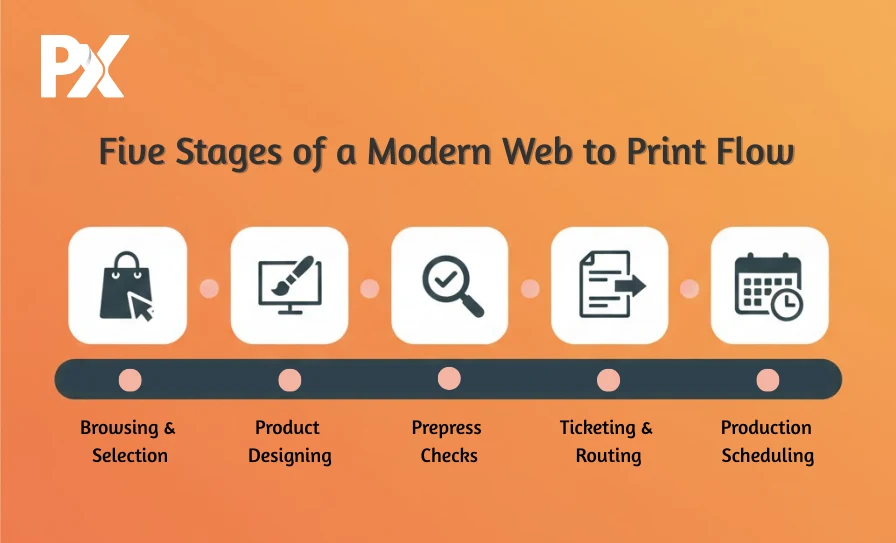
Browsing and Selection. Customer lands on your site, sees your catalog, checks prices without emailing for a quote. This alone filters out tire-kickers and captures serious buyers.
Designing. They pick a product and open your online editor. Templates, if they want them, blank canvas if they don’t. Text, images, logos—drag, drop, done. No Illustrator skills required.
Prepress Checks. Submission triggers automatic file validation. Bleeds, resolution, fonts, color profiles—all verified without a human involved. Problems get flagged with specific instructions. Good files sail through.
Ticketing and Routing. The system creates a complete job ticket and sends it to the right queue. Business cards go one direction, banners another, based on rules you’ve configured once and forgotten about.
Production Scheduling. Jobs stack up in order of deadline and priority. Your floor managers see everything on a dashboard, not shuffle paper. Bottlenecks show up before they cause damage.
How Web-to-Print Simplifies Order and Production Processes
As soon as the web-to-print flow goes live, certain things stop happening. Order entry? Customer handles it. They’re filling in structured fields, not sending emails that start with “Hi, I need some printing done, here’s roughly what I’m thinking…”
Artwork approval used to be its own special chaos. PDFs bouncing around, version confusion, printing the wrong one occasionally, and eating the reprint cost. Now there’s one version in the system, the customer clicks approve, timestamp records it. Argument over before it starts.
Job routing runs on logic you set up once. Rush work jumps ahead automatically. Wide format routes to the right equipment. Nobody stands around wondering what to print next. The web-to-print flow handles traffic control so your people can focus on actually producing work.
Impact of Web-to-Print Technology on Print Production Efficiency
Prepress is usually where jobs go to sit. Files come in incomplete, the one person who knows Illustrator is slammed, and production twiddles its thumbs. A proper web-to-print flow changes that dynamic completely—the job is verified first, then sent to the prepress desk in the right format. The queue moves forward easily.
Communication gets better without anyone trying to make it better. Your sales team checks job status in the system instead of walking back to ask. Customer service answers “where’s my order” without bothering the floor supervisor. Everyone’s looking at the same information for once.
Consistency improves, too. Specs travel digitally, not verbally, so there are fewer “I swear they said matte, not gloss” situations. Color stays accurate because profiles apply automatically. Tuesday’s output matches Friday’s output.
And then there’s the data piece—something most print shops have never really had. A functioning web-to-print flow tracks everything. Which products actually make money? Which causes the most reprints? Where do jobs get stuck? That visibility changes decisions. You replace guesswork with accurate data-driven decisions.
Print Workflow Software: What It Is and Why It Matters
Powering any serious web-to-print flow is workflow automation software. Think of it as the nervous system connecting your website to your shop floor. Without it, you’ve built a nice online store that dumps orders into a black hole.
Good workflow software knows what’s happening everywhere. It talks to your presses. Updates job status automatically when something finishes. Connects to shipping, so tracking numbers go out without copy-pasting. Generates reports that actually mean something—not just data dumps that nobody reads.
The storefront gets customers in the door. The workflow software ensures that what they ordered is produced correctly and shipped on time.
Key Efficiency Gains from Using Print Workflow Software
Shops that install workflow software to support their web-to-print flow notice the following efficiency gains:
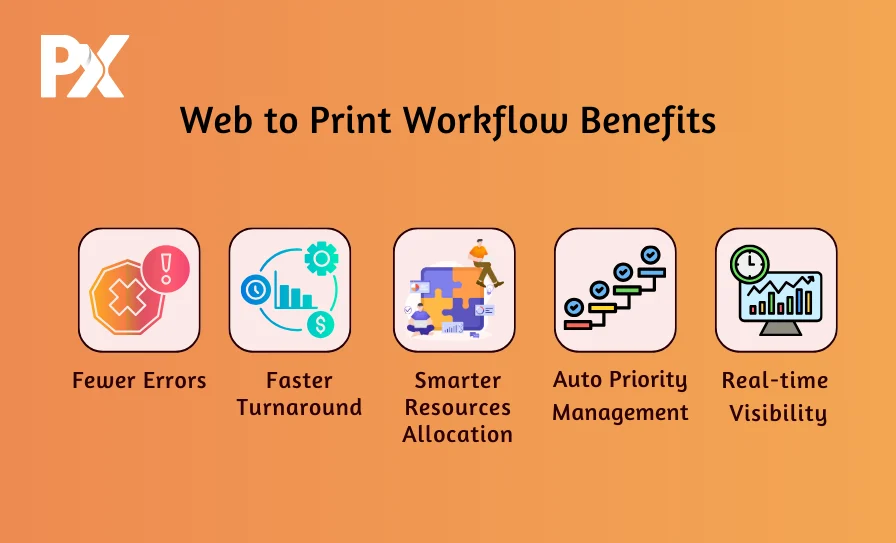
Mistakes drop off. Information flows digitally from the customer to the press without humans rekeying anything. The job that ships matches the job that was ordered.
Turnaround accelerates. No more jobs stagnation between stages, waiting for someone’s attention. Work moves when it’s ready, not when someone remembers to push it along.
Resources stretch further. Real-time queue visibility helps you assign resources mindfully. If resources are busy with a large print job on Thursday, the next big order will go on Monday instead of Friday.
Priority sorts itself. Rush jobs are automatically flagged and treated as such. Nobody shuffles papers or argues about what’s actually urgent. That automatic prioritization marks a mature web-to-print flow.
Problems surface early. Dashboards highlight slowdowns as they develop—before they snowball into missed deadlines and angry calls.
Why Every Print Shop Should Adopt Web-to-Print?
Operational stuff aside, the business case for a web-to-print flow becomes compelling fast.
Growth without the need to hire more people to do the same job becomes real. Your shop, doing 50 jobs a day, can scale to 200 without tripling customer service because customers serve themselves. They place orders. They upload files. They approve proofs. They track shipments. Your people handle exceptions, not routine.
Margins improve from multiple directions—labor costs drop, errors that ate profit become rare, and the overhead of constant phone and email communication mostly vanishes.
Customer experience? Night and day. Buyers order whenever they want. Check status without calling. Reorder past jobs with three clicks. That convenience builds loyalty your competitors can’t easily match.
And honestly, competitive pressure alone justifies the switch. Print buyers have gotten used to ordering digitally. Shops still running on phone calls and fax machines look ancient. New business gets harder to win when your process feels like 2005.
Build a Future-Ready Print Business with Web-to-Print Flow
Print shops that’ll still be thriving in ten years are the ones figuring out digital ordering now—not someday, not when things slow down, now. A resilient web-to-print flow isn’t futuristic anymore. It’s table stakes for staying in the game.
PrintXpand builds exactly this. Customer-facing design tools that don’t require training, connected to backend automation that keeps production moving smoothly. One system, one order, to delivery, no gaps.
See how PrintXpand transforms your web-to-print flow from a patchwork process into something that actually runs itself.