


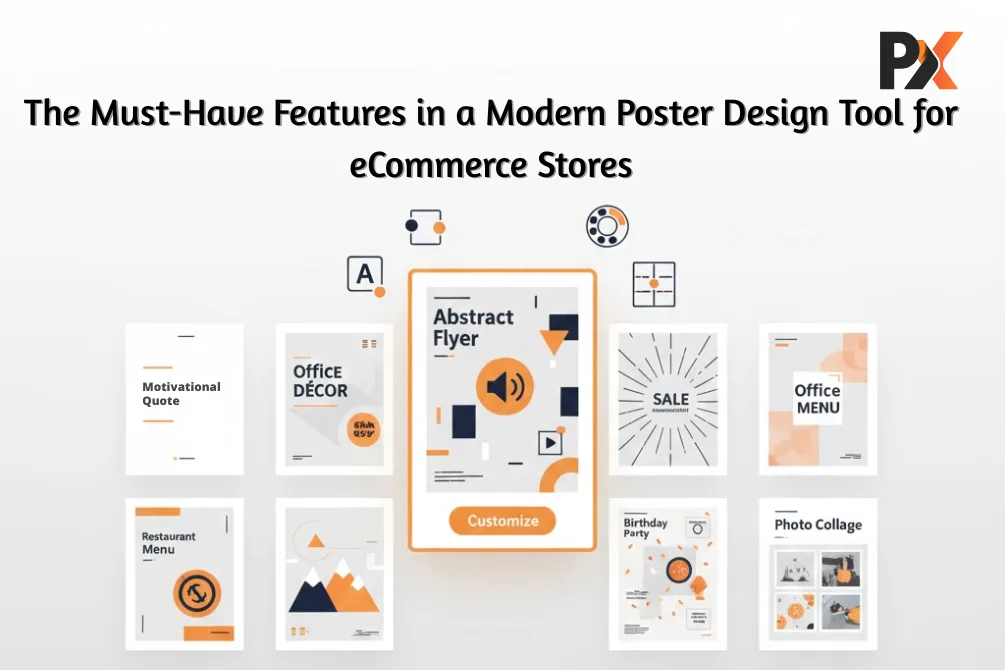
You’ve probably noticed this already if you run a print store – people don’t want off-the-shelf designs anymore. They scroll past generic motivational quotes and cookie-cutter event templates without a second glance. But show them a tool where they can tweak fonts, drop in their own photos, play with colors? Suddenly, they’re spending twenty minutes on your site instead of twenty seconds.
That’s the DIY design wave in action. And it’s not slowing down.
Customers today walk in with Pinterest boards full of inspiration and zero patience for clunky interfaces. They want to build something that feels theirs. A birthday poster with inside jokes only their family gets. A sale banner matching their brand’s exact shade of blue. The expectation isn’t just “let me customize”—it’s “make customization effortless.”
Now here’s where things get interesting for store owners. The poster design tool you integrate? It basically decides whether visitors convert or click away. Get the tool right, sales follow. Get it wrong, and you’re watching potential revenue bounce to competitors with better UX.
Worth paying attention to, right? So, here are some of the non-negotiables when it comes to choosing your poster design tool.
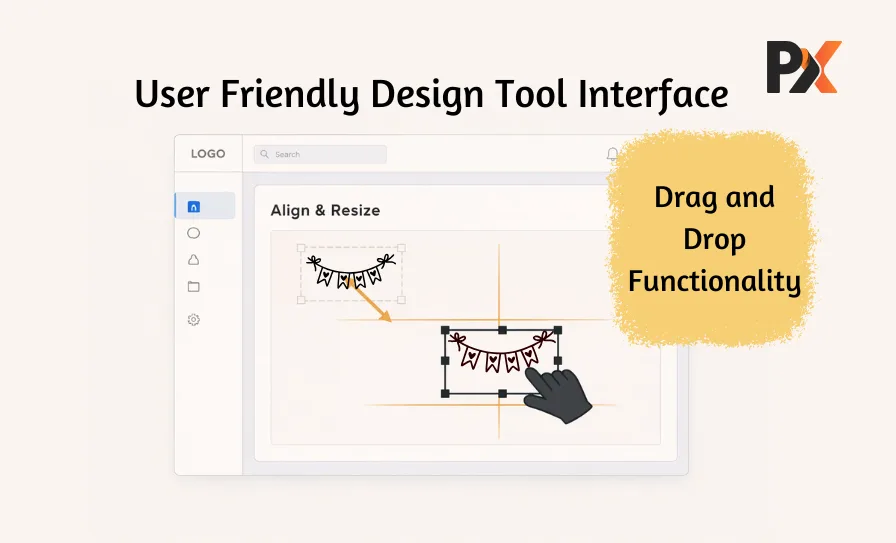
Drag-and-Drop Editing: Because Nobody Wants it Complicated
From user interface to easy-to-understand features, your design tool should be easy for the customers, not just your designers.
Keep It Simple
Your average customer isn’t a designer. They’ve never opened Illustrator, don’t understand what “kerning” means, and honestly? They shouldn’t need to. What they do understand is dragging stuff around a screen. We all do it-rearranging apps on phones, moving files into folders. That muscle memory already exists.
A solid poster design software taps into this. Grab text, drag it somewhere else. See a photo that needs resizing? Pull the corner. Want to rotate something? There’s a handle for that. No learning curve. No YouTube tutorials. People figure it out in seconds because it works like everything else they already use.
Add Instant Feedback Feature, Here’s Why:
Picture this: someone’s designing a poster, changes the headline font, and… nothing happens. They click around. Still nothing. Eventually, they find a “preview” button buried somewhere. By then, the creative momentum’s gone.
Real-time editing fixes that frustration entirely. Every change shows up the moment it’s made. Swap colors-there, updated. Move an element-it shifts instantly. That immediate response keeps people in a flow state where experimenting feels fun rather than tedious.
What you’ll notice on your end:
- Cart abandonment drops (nobody rage-quits a smooth interface)
- Support tickets decrease (intuitive tools explain themselves)
- Order values often increase (confident users add more to carts)
Quick example: someone planning a neighborhood garage sale lands on your site Saturday morning. A decent drag-and-drop editor means they’ve designed, proofed, and ordered their poster before their coffee gets cold. That’s the experience that will retain your customers.
Pre-Made Templates: Starting Points That Actually Help
Help your users to get a start before the thought of “let’s try something else” comes to their mind. This is what templates are for.
The Blank Canvas Problem
Ever opened a document to write something and just… stared? That cursor blinking at you, waiting. Designing from scratch triggers the same paralysis for most people. They know roughly what they want-“something for my kid’s graduation party” – but turning that vague idea into an actual layout feels like too much work.
Templates eliminate that mental block. Customers browse options, spot one that’s close enough, and suddenly they’re editing instead of agonizing. Huge difference in completion rates.
Categories That Make Sense
Your template library needs variety, but organized variety:
- Parties and events – birthdays, baby showers, retirement celebrations, etc.
- Business stuff – office memos, conference signage, HR announcements
- Retail and promos – grand openings, flash sales, seasonal campaigns
- Home décor – inspirational quotes, photo collages, hobby-themed art
- School and education – classroom rules, science fair boards, club posters
Templates Should Bend, Not Break
Here’s what separates a useful poster design tool from a frustrating one: customization depth. Having hundreds of templates means nothing if people can’t actually change them. Locked fonts? Rigid layouts? That’s a recipe for “close tab, try somewhere else.”
Good templates let users:
- Switch fonts without wrecking alignment
- Recolor everything to match their brand or mood
- Shuffle layout blocks around freely
- Swap placeholder images for personal uploads
- Resize sections without the whole thing falling apart
The goal? Someone finishes editing and genuinely feels like they made it – not like they just filled in blanks on a form.
Built-In Artwork Library: Keeping Eyeballs on Your Site
Keep it extensive but usable, from basics like shapes and confetti, and some decorative patterns, to case-specific options like birthday party elements and Halloween decorations. This variety not only retains your customer, but also makes them keep coming back to your platform.
The Leaky Bucket Problem
Text plus one photo equals a pretty boring poster. People want borders. Icons. Interesting backgrounds. Little design touches that make things pop. The problem is, most customers don’t have asset folders full of graphics sitting on their desktops.
So they leave your site. Open Google. Search “free party icons” or “abstract background patterns.” Maybe they find something usable. Maybe they fall down a rabbit hole of sketchy download sites. Maybe they get distracted by Instagram and never come back.
Every exit is a potential lost sale. A built-in library keeps them in your ecosystem, letting them design and buy instead of wandering the internet.
What Actually Belongs in There
- Basic shapes – circles, squares, lines, polygons (sounds boring, but people use these constantly)
- Themed icons – food, travel, sports, music, celebrations, business
- Decorative elements – frames, ribbons, flourishes, dividers
- Textures and patterns – subtle backgrounds that add depth
- Quality stock photos – for customers who need more than their phone camera offers
Two Details That Matter More Than You’d Think
Print resolution: Screenshots and web graphics look fine on screens. Blow them up to poster size? Blurry mess. Every asset needs to be high-resolution enough for large-format printing – otherwise, you’re setting customers up for disappointment.
Licensing clarity: Nobody wants a copyright complaint landing in their inbox six months later. Reliable poster design software only includes royalty-free, commercially safe assets. Protects you. Protects your customers. Worth confirming before you integrate anything.
Print Preview: Showing Customers What They’re Actually Getting
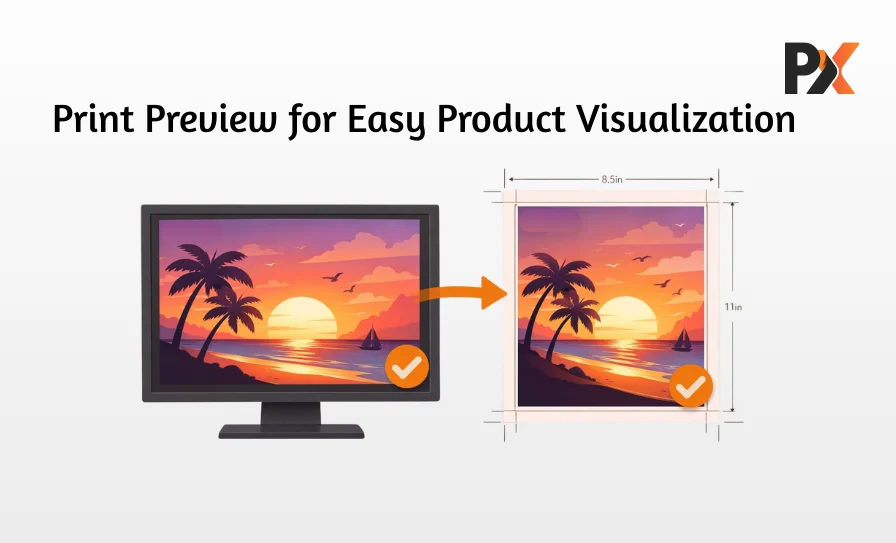
Visual proof of what their posters would look like in real life? Thanks to the advancements in technology, that is possible, and something your design tool should have.
Screens Lie (Sort Of)
RGB looks different than CMYK. Monitor brightness varies. And that text sitting close to the edge? Might get chopped during trimming. Most customers don’t know any of this – nor should they need to.
A real-time print preview bridges that gap. Shows the actual dimensions. Displays where cuts will land. Gives people confidence that what they see is what they’ll receive. That confidence converts browsers into buyers.
Automated Quality Checks
Behind the scenes, smart tools catch problems before they become expensive mistakes:
- Resolution alerts – warns when uploaded images will print blurry
- Safe zone indicators – highlights content too close to trim edges
- Color mode checks – flags RGB files that need CMYK conversion
- Format verification – confirms files meet production specs
Fewer reprints. Fewer refunds. Fewer angry emails. Everybody wins.
Mobile-Friendly Design: Meeting People Where They Are
Or we can say flexibility, having a responsive website is a need to make sure that your services are accessible to everyone, regardless of users’ devices, which improves user experience as well as customer retention.
Desktops Aren’t the Default Anymore
Plenty of your customers are browsing on phones. Waiting rooms. Bus rides. Lunch breaks. If your design tool turns into a mess of tiny buttons and accidental zooms on mobile, you’re losing sales to competitors who figured this out already.
Proper mobile optimization means:
- Touch controls that actually work with fingers
- Pinch-to-zoom that feels natural
- Buttons big enough to tap without frustration
- Smooth scrolling and swiping throughout
Bonus points if designs sync across devices. Start something on a phone, finish it on a laptop – that flexibility matters to people juggling busy lives.
Personalization Features: Names, Dates, and QR Codes
Sometimes posters need variable information. Employee-of-the-month names. Event dates that change. QR codes linking to signup pages. A decent poster design tool handles these without requiring manual edits for every single variation.
Bulk personalization takes this further – upload a spreadsheet with fifty names, and generate fifty unique posters automatically. Schools printing graduation certificates, companies producing recognition awards, event organizers creating personalized attendee materials – this feature saves hours of tedious work.
QR codes turn static prints into interactive experiences. Scan to register. Scan for a discount. Scan to follow on social. Physical operations merge seamlessly with the digital processes.
Bottom Line: What Makes the Difference
Forget feature checklists for a second. What actually matters is this: does your design tool make creating feel easy and results look professional?
Drag-and-drop removes intimidation. Templates provide direction. Asset libraries prevent detours. Print previews build trust. Mobile access captures convenience shoppers. Personalization adds practical value.
When all these work together seamlessly, customers stay longer, design more confidently, and order without hesitation.
PrintXpand brings this entire package together. Built specifically for print businesses, it offers a customizable poster design module that plugs directly into your storefront – intuitive customer-facing editing paired with the backend control you need to scale operations smoothly. Curious how it’d work for your store?