
 Product Designer Tool
- Overview
-
Personalized For
 Trophy & Award
 Photo Products
 Large Format
 -
Technology
- Pricing


Variable Data Printing Software
Create personalized print output without slowing down the production with our variable data printing software. Dynamically customize texts, images, and other custom fields to generate print-ready files instantly.
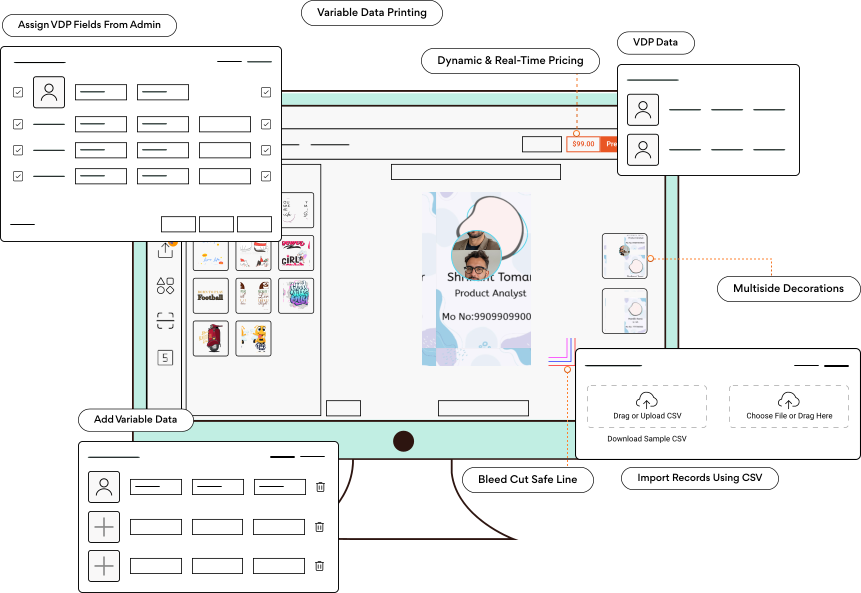
How PrintXpand VDP Software Makes Hyper Personalization & Automation Possible
PrintXpand VDP allows administrators to configure templates by defining which fields are variable, like name, designation, contact details, or images. These fields get labeled as VDP fields and become the only designated areas for the end users to work on.
What can users do with these templates? Add variable data, preview the personalized output, and place orders knowing what their product will actually look like. The tool automatically generates print-ready files with all variable datasets, ensuring a smooth, efficient, and error-free workflow.
This makes our variable data printing software ideal for ID cards, business cards, badges, certificates, postcards, customized marketing collateral designs, and more. And the best part is that you or your customers don’t need technical expertise to use this tool. PrintXpand offers a comprehensive experience with its user-friendly dashboards, easy-to-understand design interface, and print preview functionality.
Elements That Make Our Variable Data Printing Software Unique

Assign VDP Fields
Admins can define fields such as text, images, contact information, etc., as ‘variable fields’ in the backend for users to edit and add their own data.

Add Variable Data
Users access the design tool and edit the fields marked as VDP (as set in the backend by the admin), thus enabling a straightforward data entry workflow.

Real‑Time Previews
Users can preview how their dataset looks in the design before sending it for printing. This reduces errors and increases their confidence in the final product.
Explore PrintXpand’s VDP Software Features
Make personalization simple for bulk printing. Let your customers customize each print piece with their data and bridge template control with user creativity using our variable data printing tool.
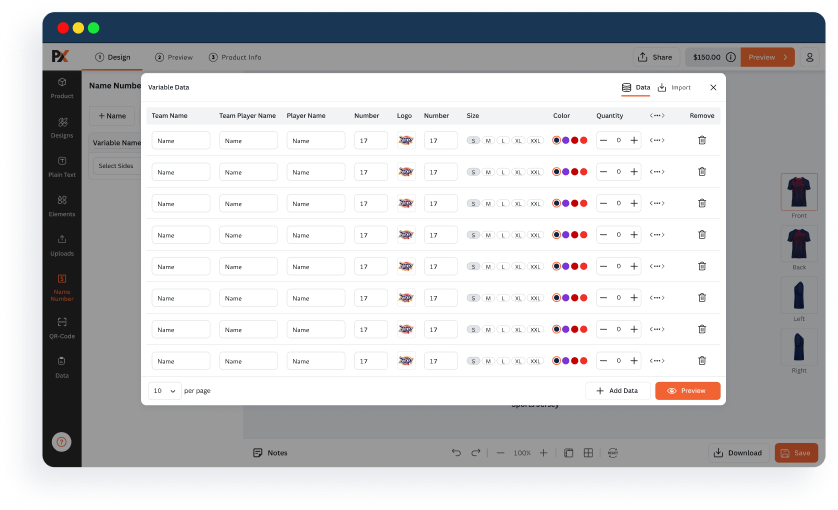
One Template, Multiple VDP Fields
Design one master template with preset customization elements for users to add their data (names, titles, images, etc.) Save hours of editing while serving hundreds of clients.
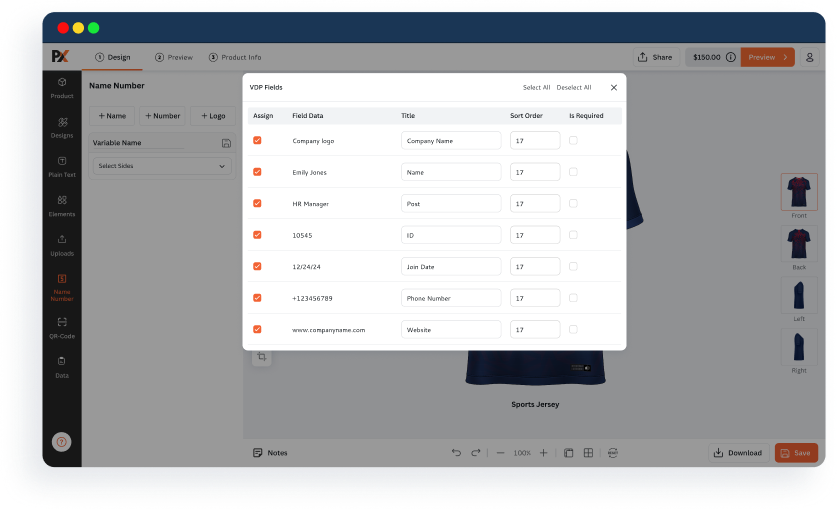
Add VDP Fields on Multiple Sides
For multi-panel products, assign VDP field for all sides with the same design. Accelerate editing by allowing users to work on all panels simultaneously and avoid repetition.
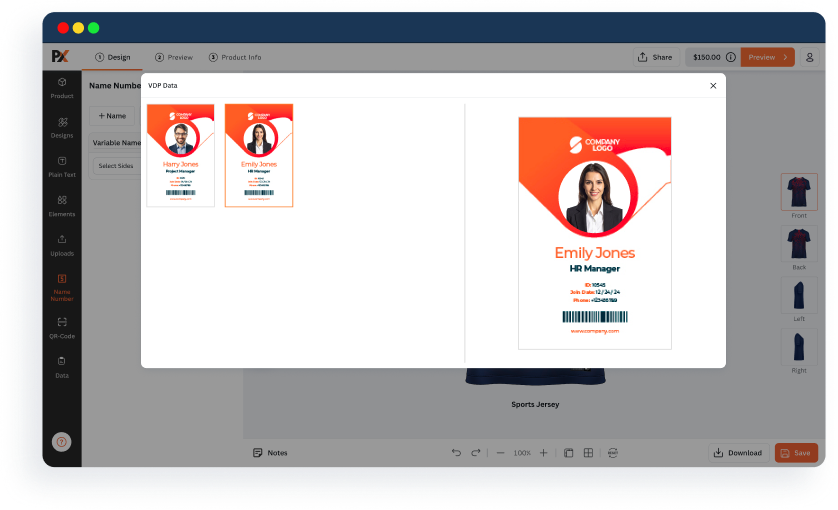
Live Preview of the Variable Data
Eliminate the guessing game and let users see how their entered data will look in real time. Foster transparency while ensuring error-free, print-ready files for your team.
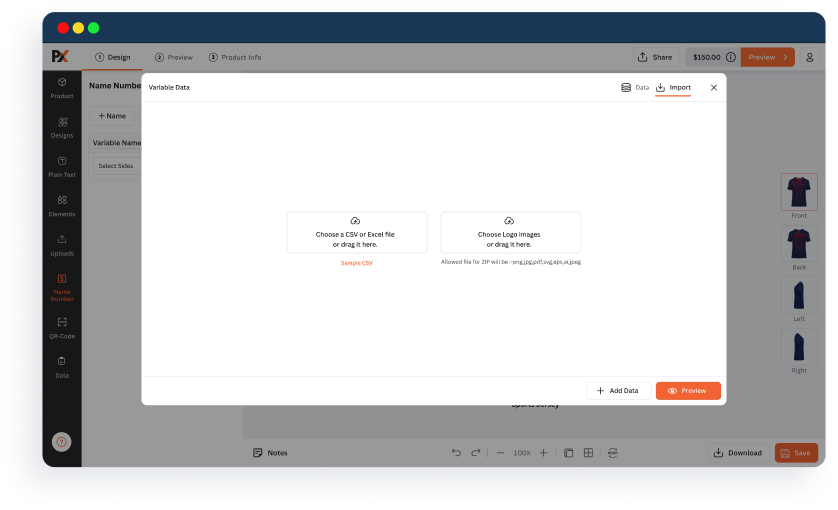
Upload CSV for Bulk Ordering
Handle bulk orders and upscaling while keeping all the variable data intact. Upload CSV files containing all the data for the system to sort and generate print-ready files.
Already Have an eStore or Just Starting? Either Way, We Can Help!
Grow your existing personalized business cards business effortlessly with PrintXpand’s design tool. And if you’re planning to start an online business from scratch, our web-to-print solutions is an excellent choice!
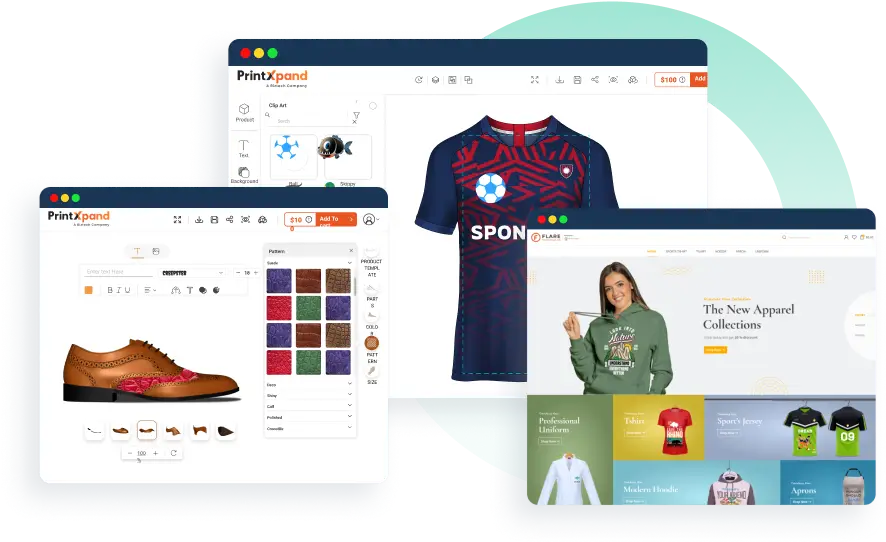
Expand Your Business with Our Web-to-Print Solutions
Whether you’re transitioning your business online or entering the printing industry, our web-to-print solutions can help. It includes a designer tool, print MIS/ERP, and integration with third-party tools.
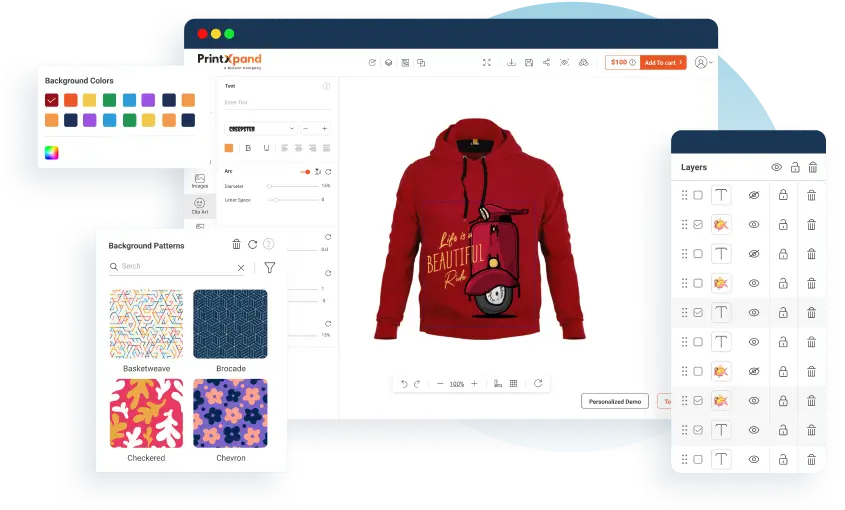
Upgrade with Our Product Design Tool
Enhance your business cards print store with product customization. Integrate our tool with your eCommerce platform and tailor it to fit your brand and business needs.
Compatible with Major eCommerce Platforms
PrintXpand can be integrated with any of the eCommerce platforms. Choose your platform to get started. And if you didn't find yours, connect your store with API.







What Our Clients Are Saying
Print On Click, a leading provider of customized printing solutions, offers a diverse range of personalized products, including visiting cards, banners, standees, mobile covers, canvases, mugs, t-shirts, and neon signs. Their easy-to-use platform makes it simple and fun for customers to customize their desired products. With a commitment to quality and customer satisfaction, Print On Click ensures fast delivery and exceptional service, making personalized printing accessible and convenient.
Dhananjay Padhiar
Managing Director, Print on click

ForYou, which specializes in selling personalized goods, including t-shirts, hoodies, caps, and mugs, is quickly becoming one of Dubai’s top clothing retailers. Customers can customize their apparel and merchandise with the company’s exclusive platform to fit their preferences. ForYou prioritizes personalization and provides a wide array of configurable options to accommodate various tastes and styles among its customers.
Dea’a Zararey
Owner, ForYou

MGS is a leading sports and sports fashion group based out of Israel. It excels in importing, marketing, and distributing renowned international sports and fashion brands through a vast network of around 130 premier sports stores, including JD, Mega Sport, and more.
Lidor Salem
Project Manager, MGS Sport Trading

The BYI tool provided the best balance of cost and capability. The team also offered much more rapid deployment. BYI adapted an existing design tool used in printing businesses to meet the specific technical requirements of our engraving process, and provided deployment and ongoing support. We experience very infrequent issues that are quickly resolved by BYI team. Using the system has resulted in substantial sales growth with several key customer groups. Their communications are generally timely and clear, and misunderstandings are rare.
Paul Seyler
Dir. Global Product & Mktg, Matthews Environmental Solutions

Our Success Stories

Enhancing Customization and Ordering Processes for EmDa Trading
EmDa Trading GmbH, headquartered in Berlin, Germany, focuses on textile finishing and advertising technology. They focus on providing personalized support to their customers at every stage, from planning and production to final delivery. By handling everything in-house, from design to distribution, they ensure high quality and attention to detail while offering expert advice throughout the process.
FINAL RESULTS
Bulk editing saved time and ensured efficiency.
Pre-order efficiency improved by 80%, reducing manual efforts.
Designer orders increased by 2X, indicating higher customer engagement.

Improving Operational Efficiency and Workflow Automation for Labels4Kids
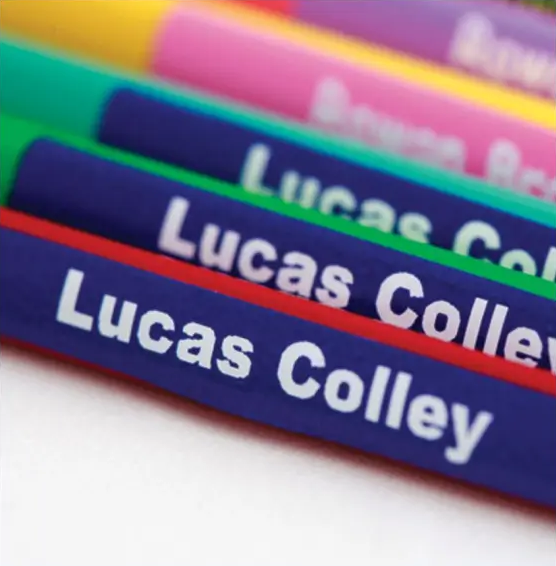
Labels4Kids, a UK-based company, specializes in high-quality, personalized name labels for children. Founded in 2004 and now owned by Lemon Labels, a family-operated labeling business based in Kent, UK, it is known for its durable labels.
The company offers a wide selection of colors and designs, allowing customers to label almost anything—from hats and coats to bottles, hockey sticks, and sleeping bags. Their product range includes allergy warning labels, bands, and badges, essential for travel, and packages tailored for care home residents.
FINAL RESULTS
AOV increased by 30% year-over-year.
Transition to Magento 2 improved performance, scalability, and growth.
Text editing, font styles, and sticker positioning enhanced customization.

Enhancing Apparel Customization and Efficiency For Create Apparel
Create Apparel is a print-on-demand marketplace that designs, manufactures, and distributes customized apparel. They provide a comprehensive solution for all creative printing needs, setting high standards in print quality and product range. What sets them apart is the ability for clients to design their own shirts and personalize other apparel items, showcasing their individual styles.
FINAL RESULTS
Simplified operations and strong B2B partnerships improved customization.
Our solution’s personalization features improved the customer experience.
Solidified presence as a leader in the print-on-demand industry.

Blogs
Find out what is happening in web-to-print and print-on-demand here. Latest news, updates, and more.
FAQs
Find answers to your questions here, and if it isn’t listed, get in touch with us. Our team is here to assist you!
What is variable data printing software?
Variable data printing software is digital print technology that enables you to add variable data, such as text, images, or other fields, to the same template/design. It uses data sources like CSV files for each output.
What types of content can be personalized?
Text, images, contact details, and other dynamic fields supported in the template can be marked as VDP fields and thus personalized.
Can I customize both sides of a template with variable fields?
Yes. PrintXpand’s VDP tool allows you to assign VDP fields on the front and back of a design. This is ideal for products like ID cards, business cards, or event passes that require two-sided personalization.
Can PrintXpand’s VDP software handle bulk orders with CSV data?
Yes. PrintXpand VDP software is designed for bulk VDP workflows. You can upload the CSV files and process hundreds of personalized records in one go, with real-time previews and print-ready outputs for each.
Can non-technical users design with variable data?
Definitely. Our VDP interface is intuitive and user-friendly. Admins pre-define which areas of a template can be customized, and end users only need to fill out those fields—no design skills required.